It's Friday, the week's work reports reach the office in the glove compartment of the van, and one of them just says «pump servicing, full day». Wondering whether a daily work report is mandatory? The Estatuto de los Trabajadores (Spain's Workers' Statute) requires you to record each worker's start and finish time every day; splitting those hours across jobs is something you need yourself, to know what each job costs you. Below you'll find what the rules say, what data the report should carry and how to make a single document serve both purposes.
Is the daily work report mandatory?
The Workers' Statute requires a daily working time record under its Article 34.9, added by Real Decreto-ley 8/2019 (Spanish royal decree-law on urgent measures for working time recording, BOE-A-2019-3481). The hours allocated to each job do not appear in that article: they are management data that matters to you.
That changes how you look at your report. When it captures each technician's clock-in and clock-out times, it can also serve as the working time record. If it only gives the total hours and the job, you need another document to comply.
What the law requires you to record each day
Article 34.9 calls for a daily record with the start time and finish time of each worker's working day. It has been mandatory since 12/05/2019 and must be kept for 4 years.
Note two details. It refers to each worker, so a single sheet per crew that doesn't show who arrived at what time falls short. And it applies equally to the technician who spends the week at a customer's site: the record is kept by your company. You'll find how to get it signed in our post on the working time record signature sheet generated from work reports.
What the report is good for even if the law doesn't ask for it
The daily work report tells you where the hours you pay for went. Without it, you close a job without knowing whether it left a margin, and unallocated hours end up belonging to nobody; we cover this in where unproductive hours get lost.
With a time sheet on one side and the work report on the other, the technician records the same thing twice. That holds up until a worker claims some overtime and the sheet says one thing and the report another: that day you have to decide which one counts.
What data a complete daily work report contains
The table separates what the rules require from what you need for costing. With everything on the same report, each working day is written up only once.
| Report data | Required by Article 34.9 | Needed for costing |
|---|---|---|
| Start time of the working day | Yes | To reconcile the hours allocated |
| Finish time of the working day | Yes | To reconcile the hours allocated |
| Breaks | Help to explain the working day | They separate out working time |
| Job code and activity | No | Without it, the hour can't be allocated |
| Type of hour (normal, overtime, public holiday, night, leave) | Helps to tell overtime apart | Changes what each hour is worth |
| Travel, allowances and mileage | No | Charged to the job that generated them |
| Worker's professional category | No | Gives the hourly rate |
Still filling in reports by hand? In the work report template you'll find these fields set out in order, and the job code is explained in how to code your jobs to know what each one earns.
How the report and the working day fit into a single entry
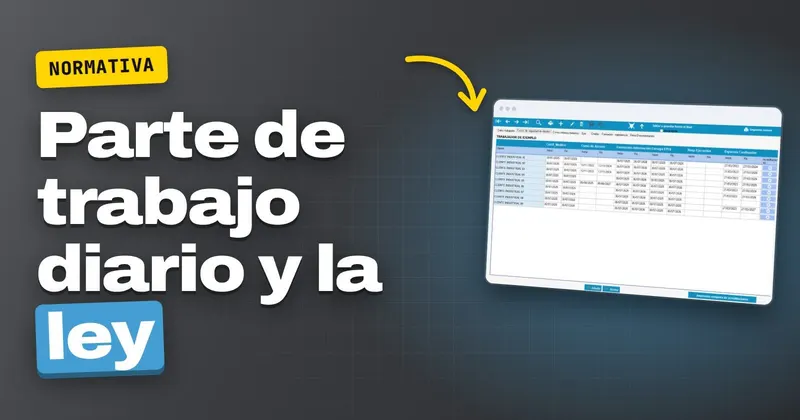
In GControl, from Infonet, the technician clocks the start and end of their working day and their breaks from the Android app, whether at the company or at the customer's site, and files the report in the same place: normal, overtime, public holiday, trade union, night and leave hours, plus travel, allowances and mileage. In the office you see it in real time and can produce the working day's signature sheet.
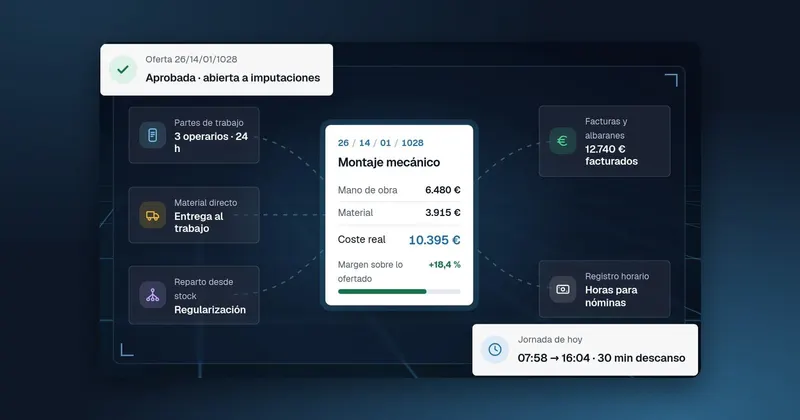
That report serves a double purpose: the time record for each worker, with the hours ready for payroll, and the breakdown of those hours by job and activity. Each hour is valued using the rate card by professional category, so the cost appears against its job without anything being entered by hand. It's all explained on the work reports page.
If your technicians record the working day in one place and the hours for each job in another, request a GControl demo and we'll show you, using your own jobs, how a single report leaves the working day recorded and the hours charged to their job.
How long daily work reports must be kept
The report that doubles as the working time record keeps the same retention period: 4 years, with clock-in and clock-out times legible and no missing days.
A report that doubles as the working time record is kept for 4 years. A paper one that gets wet in the van or lost in a folder leaves that day with no record.
With the reports held inside the software, the archive is GControl itself. You can pull listings in Excel pivot tables by worker, by job or by month, and the same data feeds the cost control of each job.
What to do this week with your daily reports
- Take a report from last week and check whether it shows each technician's start and finish time, as well as the job code.
- Combine the working day and the hours by job into a single report, using the fields in the table.
- Decide where those reports will be stored for the 4 years and who retrieves them when they are requested.
To see it with your own reports, request a GControl demo or call +34 959 54 07 12: we'll show you GControl working with your own jobs.